
Data centers are designed so that no single failure takes down the load: redundant UPS modules, dual power paths, N+1 cooling. That design buys time, not immunity. While a failed breaker, drive or controller waits for a replacement, the site runs with less redundancy than it was designed for, and a second failure can become an outage. Critical spares close that window. The challenge is choosing which parts deserve shelf space and capital – and keeping them ready to use.
Key takeaways
- Rank spares by the impact of a failure, the lead time to replace the part and how many identical units you run.
- Standardized equipment makes spares cheaper: one spare can cover many identical units.
- Check service agreements before stocking UPS, generator or cooling parts – some work is reserved for the manufacturer's service provider.
- Spares age. Rotate batteries, respect capacitor storage guidance and keep firmware and settings with each spare.
- Keep an up-to-date list of every critical part's catalog number, series and firmware.
Safety first: electrical work in a live data center carries serious shock and arc-flash hazards. Spares should be installed only by qualified personnel under your site's method-of-procedure, lockout/tagout and arc-flash rules.
How to decide what to stock
Start with a list of the installed base – every breaker type, drive, controller, power supply and network device in the critical path – and score each on three questions:
- What happens if it fails? Loss of redundancy, loss of a cooling unit, or immediate impact on IT load.
- How long would a replacement take? Hours from a local shelf, days from a distributor, weeks or months from the factory – or never, if it is discontinued.
- How many identical units are installed? The more you run, the more likely a failure, and the more one spare covers.
Parts that score high on all three belong on the shelf. Parts with short lead times and low impact usually don't. Review the list whenever equipment is added, replaced or reaches end of life.

Power distribution
Our power chain guide walks through each stage, from medium-voltage switchgear to rack PDUs. The spares that matter most here:
- Molded case and miniature circuit breakers used in PDUs, remote power panels, panelboards and switchboards – particularly the frames and ratings used most across the site. Our breaker ratings guide explains what has to match.
- Breaker accessories: shunt trips, auxiliary switches and undervoltage releases used by the EPMS and emergency power off systems.
- Fuses of every type and rating installed, including those inside UPS and PDU equipment.
- Surge protective devices and their replaceable modules.
- Transfer switch control parts – controllers, relays and power supplies – where the service agreement allows.
- Meters and current transformers for power monitoring.
UPS and batteries
UPS systems are usually covered by a service agreement, and some components are only replaced by the manufacturer's service provider. Check before stocking internal parts. Commonly kept items include:
- cooling fans and air filters;
- batteries or battery modules, with a plan for age and rotation;
- communication and monitoring cards;
- battery chargers and DC power supplies for switchgear control and generator starting.
Batteries age on the shelf as well as in service, so buy them close to when they will be needed and follow the manufacturer's storage and charging guidance.
Cooling and mechanical
- Variable frequency drives for chilled-water pumps, cooling tower fans and air handlers. Keep parameter backups with each spare – see VFD basics.
- Fans and blowers, including EC fans used in CRAH units and in-row coolers.
- Contactors, overload relays and motor starters for pumps and fans.
- Temperature, humidity, pressure and flow sensors, and leak detection.
- Control boards and unit controllers for cooling units, where supported by the service agreement.
- Actuators and valve parts for chilled-water control.
Building and power monitoring controls
The building management system (BMS) and electrical power monitoring system (EPMS) are what tell you something has failed. Their parts are often overlooked:
- PLCs, controllers and I/O modules used in the BMS, EPMS and cooling plant control;
- 24 V DC power supplies and relay modules in control panels;
- industrial network switches, media converters and communication gateways;
- HMIs and panel displays at equipment and in the control room.
Standardize to spend less
Every different breaker frame, drive family or controller type is another spare to buy and store. When a site is built or expanded, standardizing on a small number of part families makes the spares list shorter and each spare more useful. For existing sites, a list of installed catalog numbers often reveals where a few spares cover a large share of the equipment.
Keep spares ready to use
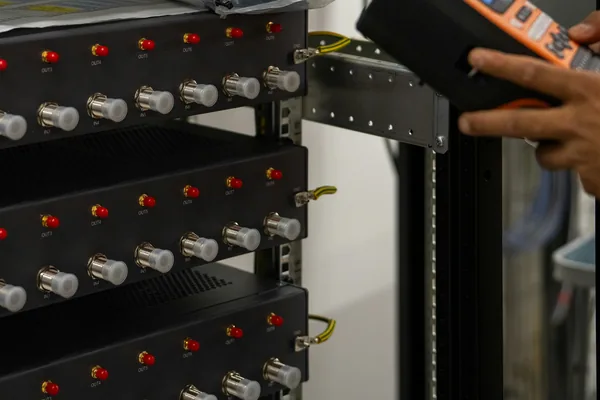
- Label every spare with the equipment it fits and store it with its settings, firmware files and a copy of the relevant manual page.
- Store properly: clean, dry, within the manufacturer's temperature range, in original packaging where possible.
- Inspect and test critical spares on a schedule, and follow the manufacturer's guidance for drives and power supplies stored unpowered for long periods.
- Track use: when a spare is used, reorder it immediately.
- Watch lifecycle status: when a part becomes end of life, decide whether to buy extra spares or plan a replacement. Our obsolete parts guide covers the options.
Building or refilling a spares list with KIV
We supply data centers and critical facilities with breakers, power supplies, drives, fans, controls and networking hardware from our own photographed stock and a sourcing network of more than 5 million parts. Send your spares list as a spreadsheet or PDF through partner sourcing and you get one official written quote in under 24 hours on business days, with the condition of every line stated. See also our page for data centers and AI infrastructure and data center electrical quotes.
Frequently asked questions
How do you decide which spare parts a data center should stock?
Rank parts by the impact of a failure, the lead time to replace them and how many identical units are installed. Parts that are critical, slow to get and common across the site go to the top of the list.
Should we keep spare UPS parts on site?
Check your UPS service agreement first. Some components are only replaced by the manufacturer's service provider; keeping approved consumables such as fans or filters on site can still shorten repairs.
Do spare parts go bad on the shelf?
Some do. Batteries self-discharge and age, and electrolytic capacitors in drives and power supplies may need attention after long storage. Rotate stock and follow the manufacturer's storage guidance.
Can KIV Industrial Parts quote a whole spares list?
Yes. Send the list as a spreadsheet or PDF and you get one official written quote in under 24 hours on business days, from our stock and our sourcing network.