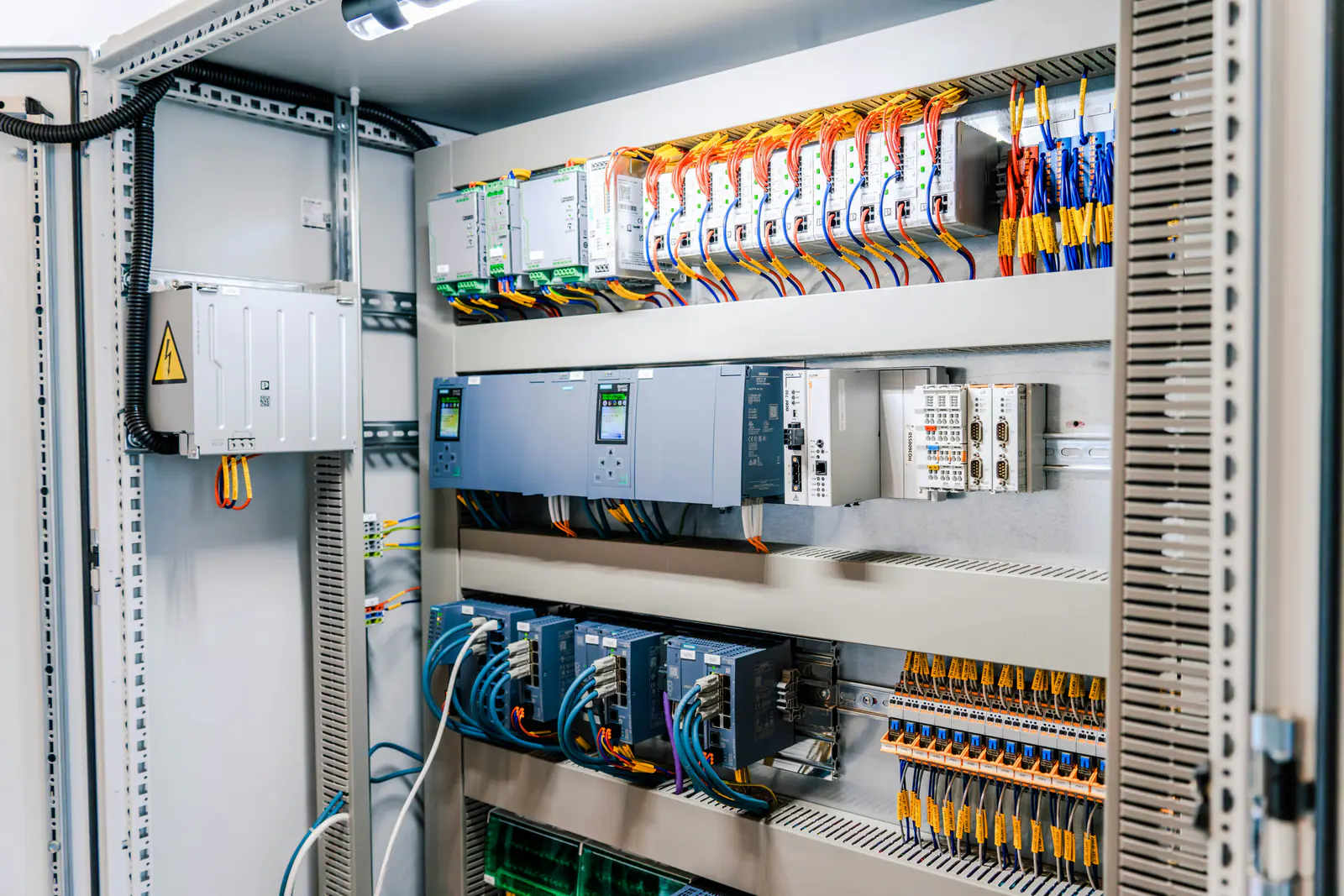
Siemens SIMATIC S5 (order numbers starting 6ES5) and S7-300 (6ES7 3.., with ET 200M I/O such as the 6ES7 153 interface modules) still control a lot of production. Whether a given module can still be bought new from Siemens is a question for Siemens, answered order number by order number, and it changes over time. So this page does not repeat a status for any order number: it shows where to check, what to write down, and what to do with the answer. Our guide to reading Siemens order numbers explains the format.
Key takeaways
- Siemens publishes each order number's lifecycle status on its own site; check it there before you buy spares or plan a migration.
- Siemens' S7-300 product page says the S7-300 / ET 200M system families will be available until 2033.
- Check every module in the system, not only the CPU: I/O, power supplies, interface modules and front connectors can be at different stages.
- Record what Siemens shows and the date you checked, and recheck once a year.
- We stock surplus S5 and S7-300 parts and source the ones we don't have.
Where to check an order number's status
Look up the full order number on Siemens' SiePortal, Siemens' own product catalog and ordering site. Use the number exactly as it is printed on the module's label, with every block and suffix: two modules with the same description can have different order numbers, and each order number has its own lifecycle status. A space after the first block (6ES7 315-…) has no meaning, so it does not matter whether you type it.
Write down what Siemens shows for each number, the date you checked and the link. A spreadsheet with one row per order number (the module, how many you run, how many spares you hold, the status and the date) turns “I think it's obsolete” into a plan you can budget for. Statuses move, so recheck once a year and whenever you plan a budget or a shutdown.
Be wary of lifecycle claims on reseller and distributor pages, ours included: they can be out of date or describe a different order number. Siemens' own page for the number is the one that counts. Our lifecycle status guide explains the general stages, from active to discontinued, and how to plan for each.
What Siemens' S7-300 page says
Siemens' SIMATIC S7-300 product page (read on October 17, 2026) says the S7-300 / ET 200M system families will be available until 2033. That is a statement about the families as a whole. Individual order numbers can be at a different stage, and “available” does not say on what terms, so check each module you depend on before you rely on that date for a spares plan.
For S5 systems, check each 6ES5 order number in the same way. S5 hardware is decades old and many modules went through several versions, so look up the exact number on the label rather than a similar one.
Sources: this page states no lifecycle status for any Siemens order number. Statuses change and differ module by module: before you buy or plan a migration, look each order number up on Siemens' SiePortal.
Siemens documents cited: SIMATIC S7-300 product page (siemens.com).
Check the whole system, not only the CPU
A rack is only as available as its least available part. When you list a system, include:
- The CPU, with its firmware version and any memory card it needs.
- I/O modules (digital and analog) and function or communication modules.
- Power supplies and interface modules for expansion racks or ET 200M stations.
- Front connectors, bus connectors and cables, which are easy to forget until one cracks.
- The programming setup: the software version that opens the project and a PC or adapter that can still connect to the CPU.
Note the product version printed on each module's label as well as the order number. The product version is the hardware release; when you replace a module, matching it (or using a later one the documentation allows) avoids surprises.
Planning a migration
Migrating a PLC system is a project, not a part swap: new hardware, converted or rewritten logic, rewiring or adapters, and a commissioning window. Take the successor and the conversion details for each order number from Siemens' own documentation, or from a system integrator who works with it, and not from a reseller's page. Run the work at planned shutdowns, one line or cell at a time, and keep the old system's spares until the new one has run through a full production cycle.
Our replacement finder pages for the SIMATIC S5, S7-300, S7-400 and ET 200 collect what Siemens' own migration guides say about each family, with document and page, and the successor Siemens' tables list for an exact order number where they list one, next to the parts we have in stock.
What to do now
- List every S5 and S7-300 system you run: order number and product version of each module, and CPU firmware.
- Check each order number on Siemens' site and record the status and the date.
- Back up every program with its hardware configuration, and store a copy away from the machine.
- Buy spares for critical systems before you need them, starting with the modules whose status on Siemens' site says they are no longer sold new. Our PLC quote page takes single parts; a list goes through our ISO list form and gets a written quote in under 24 hours on business days.
- Plan the migration at planned shutdowns, using the successor Siemens names for each order number.
Safety first: switch off and lock out the rack's supply and any separately powered I/O before you change S5 or S7-300 modules, following Siemens' instructions and your site's lockout/tagout procedure.
S5 and S7-300 parts in our stock
Search our store by the full order number, or browse 6ES5 S5 and 6ES7 SIMATIC results or the PLC processors category. Every item we stock is photographed, so check the order number, product version and firmware on the label before you buy. See also finding obsolete Siemens parts.
Can't find a part, or need several? Send the order numbers through the obsolete parts quote page and we'll check our shelves and our sourcing network. Purchase orders are welcome; payment is due before we ship.
Frequently asked questions
Where can I check the lifecycle status of a Siemens S5 or S7-300 order number?
On Siemens' own site: look up the full order number from the module's label on Siemens' SiePortal. This page does not repeat a status for any order number, because statuses change; record what Siemens shows and the date you checked.
How long will the S7-300 be available?
Siemens' S7-300 product page says the S7-300 / ET 200M system families will be available until 2033. That is a family-wide statement; check each order number you depend on, since individual modules can be at a different stage.
What replaces an S7-300 or S5 module?
Take the successor for each order number from Siemens' own documentation, or from a system integrator who works with it, and check fit, wiring and software before you swap. A reseller's page, ours included, is not the source for that.
Do you sell S5 and S7-300 parts?
Yes. We stock surplus SIMATIC S5 and S7-300 parts and source the ones we don't have. Search our store by the full order number, or send the order numbers through the obsolete parts quote page.