The short answer
The battery depends on the controller: a ControlLogix 1756-L6x takes the 1756-BA1 (series A) or 1756-BA2 (series B), a CompactLogix 1769-L3x the 1769-BA, an SLC 500, MicroLogix 1400 or 1500 the 1747-BA, and a MicroLogix 1100 the 1763-BA. ControlLogix 5570 and CompactLogix 5370 controllers use an energy storage module instead of a battery. A steady red BAT LED means the battery is low or missing: replace it soon, and follow that controller's manual on whether power stays on.
This covers Allen-Bradley ControlLogix, CompactLogix, SLC 500 and MicroLogix controllers from Rockwell Automation. Check the catalog number and series on the controller label first.
Key takeaways
- Use only the battery the manual names: Rockwell warns a substitute can damage the controller.
- SLC 5/03 and up: power off, swap within 30 minutes. MicroLogix 1400: swap with the power on – live work for a qualified person.
- Save a current copy of the program before you touch the battery.
Which battery for which controller
| Controller | Battery | Note (our words) |
|---|---|---|
1756-L61, L62, L63 series A | 1756-BA1 or 1756-BATM module | Rockwell's battery table also lists the 1756-BATA: the battery inside the BATM. The install steps name only the BA1 or the BATM, which fits series A only. |
1756-L61–L65 series B | 1756-BA2 | Only the BA2. |
ControlLogix 5570 (1756-L7x) | None: energy storage module | Ships with the 1756-ESMCAP; the 1756-ESMNSE has no clock backup and the 1756-ESMNRM can't be removed. |
CompactLogix 1769-L31, L32C, L32E, L35CR, L35E | 1769-BA | The 1747-BA is not compatible. |
| CompactLogix 5370 | None: embedded, battery-less ESM | Saves the program to onboard memory at power-down. |
| SLC 500 processors | 1747-BA | The 1747-L511 also holds RAM on a capacitor for a time. |
| MicroLogix 1100 | 1763-BA | Ships with the battery connected. |
| MicroLogix 1400 | 1747-BA | Ships with the battery connected. |
MicroLogix 1500 (1764-LSP, -LRP) | 1747-BA | Added beside a permanent battery that stays in place. |
What the warning means and how long you have
- ControlLogix 1756-L6x: BAT steady red means no battery or about 95% discharged, logged as minor fault
T10:C10; with a1756-BATM, the warning comes at about 50%. On series B, a steady green BAT during power-down means the program is being saved to internal nonvolatile memory. If BAT is already red when you power up, part of the battery's life went while the controller was off, so you have less time than the tables suggest. - CompactLogix 1769-L3x: once powered down, the battery holds memory as long as BAT stays lit – about 25 days at 25 °C, 8 days at 60 °C.
- SLC 5/03, 5/04, 5/05: BATT steady red means the voltage is below the threshold or the battery is missing or unplugged; bit
S:5/11follows it. - MicroLogix 1100 and 1400: BAT.LO on the LCD means the battery is unplugged or will fail within about two weeks.
- MicroLogix 1500: after BATTERY LOW lights, the battery lasts at least 14 days on a
1764-LSPand 7 days on a1764-LRP.
Battery life varies: Rockwell gives about five years for a 1747-L511 and two for the 1747-L514 and L524 and the SLC 5/03 to 5/05, and a 1756-BA2's life depends on temperature, project size and how often power is cycled. A 1756-L6x battery also wears out unlit: Rockwell's schedule, by the temperature 1 in. below the chassis, runs from no replacement up to 35 °C to every 8 months at 56–70 °C. Write the date on the battery label.
Replacing it safely
- SLC 5/03, 5/04, 5/05: remove power at the SLC power supply, release the clips and slide the processor out, unplug and swap the battery, refit and power up. A capacitor keeps RAM for at least 30 minutes. Keep the processor away from surfaces that hold a static charge.
- SLC 5/01, 5/02: the battery can be changed with the processor powered; once BATTERY LOW lights, don't remove power. This is live work: a qualified person only, under your site's energized-work rules, touching only the battery and its connector; in a hazardous location, confirm the area is non-hazardous first.
- MicroLogix 1100: put the battery in its pocket, plug the wire connector into the controller's battery connector and run the wires along the wire guide. If BAT.LO stays on with the battery connected, fit a new one at once.
- MicroLogix 1400: change it with the controller powered – with the power off, all user memory is lost. This is live work: a qualified person only, under your site's energized-work rules, touching only the battery and its connector; in a hazardous location, confirm the area is non-hazardous first.
- MicroLogix 1500: put the new battery in the replacement pocket, plug it in and secure the wires under the latch. Don't remove the permanent battery.
- ControlLogix 1756-L6x: on series A, Rockwell's install steps allow only a 1756-BA1 or a 1756-BATM module (with its BATA inside); series B takes only a 1756-BA2 (red +, black −, arrow up).
- CompactLogix 1769-L3x: slide the battery door forward; the connector is keyed. Leave the plastic insulation on the battery.
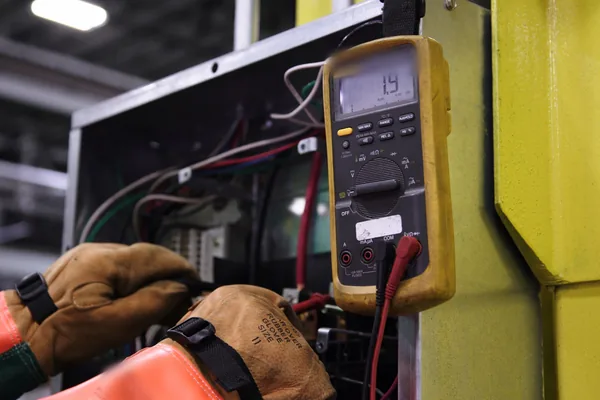
Rockwell's lithium battery guidelines (AG-5.4) add: never substitute a different battery, and fit or swap one only where the area has been confirmed non-hazardous; the controller manuals warn that connecting or disconnecting a battery can arc. Never recharge, open, crush, short or burn one, and keep used batteries out of general trash.
Storing spare batteries
Rockwell recommends a cool, dry store, around 25 °C with 40–60% relative humidity, in the original packaging away from anything flammable. Up to 30 days between −45 and 85 °C is fine for transport, but not more than 30 days above 60 °C. Use the oldest first, keep none longer than 10 years, and don't hold used batteries more than 3 months before disposal.
Will the program survive?
- Keep a nonvolatile copy: a CompactFlash card on a 1756-L6x, or a memory module on an SLC or MicroLogix (an SLC can autoload it with
S:1/10–S:1/12). - T01:C40 on a Logix controller at power-up means the battery or ESM didn't have enough charge to save the program: replace the battery, or let the ESM charge fully.
- Fault 0001 on an SLC or MicroLogix (NVRAM error) means memory was lost; reload the program.
- ControlLogix 5570: let the ESM finish charging before removing power, and leave it fitted until the OK indicator is off.
Safety first: work inside a control cabinet only as a qualified person, under your site's lockout/tagout procedure, and follow Rockwell Automation's procedure for the controller. Never force outputs, jumper interlocks or bypass a safety circuit while a controller is being serviced.
Lost a program? Our engineering team does PLC programming and restores. See also ControlLogix fault codes and SLC 500 fault codes.
Parts that commonly fail
Batteries, energy storage modules and the controllers they back up. The part numbers we have the most of in stock right now:
ControlLogix controllers
SLC 500 processors
Stock changes every day. Every listing is photographed, so check the catalog number, series or product version and firmware on the label photo before you buy.
Not listed, or need several? Send us the part number and we'll check our shelves and our sourcing network and quote it in writing.
Sources
Every code, LED state and menu path on this page was checked against Rockwell Automation's own documents, listed below, and is described here in our own words. Manuals change between editions and firmware revisions: for your exact catalog or order number, check the current edition.
- Rockwell Automation, ControlLogix 5570 and 5560 Controllers User Manual, publication 1756-UM001Q-EN-P, December 2024.
- Rockwell Automation, 1769 CompactLogix Controllers User Manual (1769-L31, -L32C, -L32E, -L35CR, -L35E), publication 1769-UM011I-EN-P, February 2013.
- Rockwell Automation, CompactLogix 5370 Controllers User Manual, publication 1769-UM021K-EN-P, May 2023.
- Rockwell Automation, SLC 500 Modular Hardware Style User Manual, publication 1747-UM011G-EN-P, June 2008.
- Rockwell Automation, MicroLogix 1100 Programmable Controllers User Manual, publication 1763-UM001G-EN-P, May 2024.
- Rockwell Automation, MicroLogix 1400 Programmable Controllers User Manual, publication 1766-UM001P-EN-P, March 2024.
- Rockwell Automation, MicroLogix 1500 Programmable Controllers User Manual, publication 1764-UM001D-EN-P, May 2024.
- Rockwell Automation, Logix 5000 Controller and I/O Fault Codes (spreadsheet), publication 1756-RD001F-EN-P, September 2025.
- Rockwell Automation, Guidelines for Handling Lithium Batteries (technical data), publication AG-5.4-AUG09 (AG-TD054), August 2009.
Frequently asked questions
Which battery does a 1756-L61, L62 or L63 take?
It depends on the series. Series A takes the 1756-BA1 or the 1756-BATM battery module (the 1756-BATA in Rockwell's battery table is the battery inside the BATM); series B, including the L64 and L65, takes only the 1756-BA2. Rockwell warns that any other battery can damage the controller.
Can I use a 1747-BA in a CompactLogix 1769-L35E?
No. Rockwell says the 1769-BA is the only battery for the 1769-L3x CompactLogix controllers and that the 1747-BA is not compatible with them.
Will I lose the program if I change the battery?
Not if you follow the manual for that controller. An SLC 5/03, 5/04 or 5/05 keeps RAM for at least 30 minutes on a capacitor with power off. A MicroLogix 1400 must stay powered (live work for a qualified person): changing its battery with the power off erases the user memory. Save a current copy of the program first either way.
What does a steady red BAT LED mean on a ControlLogix?
On a 1756-L6x it means no battery is installed or the battery is about 95% discharged, and the controller logs minor fault type 10, code 10. Replace it soon: the controller keeps running, but memory backup for the next power loss is at risk.